
Handle tickets
What this guide helps you do
Section titled “What this guide helps you do”Review and respond to tenant tickets.
Who can do this
Section titled “Who can do this”Landlords assigned to the selected building.
Where to find it in Sicket
Section titled “Where to find it in Sicket”Go to Tickets.
Step-by-step
Section titled “Step-by-step”- Select the correct building scope.
- Open
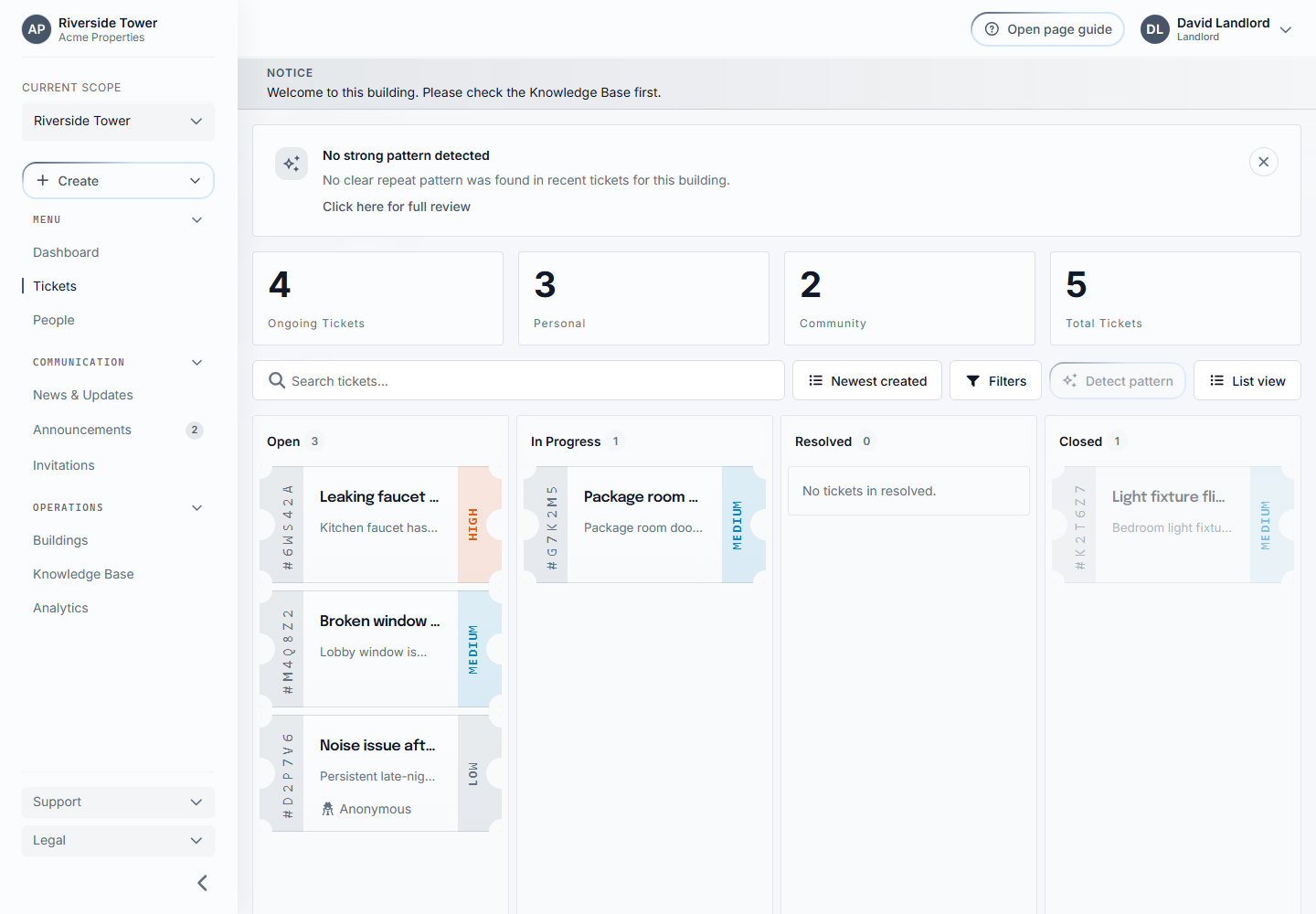
Tickets. - Use list view for cards, compact view for a configurable table, or board view for status workflow.
- Open a ticket.
- Read the title, description, priority, category, and attachments.
- Reply with a public comment when the tenant should see it.
- Add an internal note for staff-only context.
- Change status when the work moves forward.
- Resolve the ticket when complete.
Field-by-field explanation
Section titled “Field-by-field explanation”Ticket code is the short unique ticket reference.
Status shows the workflow state.
Priority shows urgency.
Category groups the operational issue.
Comments are visible to the tenant where allowed.
Internal notes are only for staff.
Compact view supports configurable, movable, sortable columns and printing. Column choices persist in the browser. Reset columns to return to Sicket defaults.
New and New update are personal read states. Use the unread filter or Read all to clear every matching unread ticket in the current scope.
Comments support replies. Comment authors can edit or delete their own comments while the ticket is writable, and staff can moderate tenant comments.
What happens next
Section titled “What happens next”The tenant can follow updates from their ticket page.
Common issues
Section titled “Common issues”If you cannot open a ticket, it may belong to a building you do not manage.
If a ticket is anonymous, staff can still see the operational details required to handle it.
Resolved and closed tickets are read-only. The ticket creator can submit resolution feedback; staff can review it.